Screen Sharing Security Operations: A Practical SOC Architecture for Remote Collaboration
Screen sharing security operations usually becomes urgent after something awkward happens: a vendor sees production data, an engineer grants remote control too broadly, a recorded session lands in unmanaged storage, or an attacker uses a legitimate collaboration tool to move through the environment.
Teams think the problem is screen sharing software. The real problem is that screen sharing creates a temporary access path across identity, endpoint, network, SaaS, and human workflow boundaries.
That changes the conversation. The practical question is not which meeting tool has the best security checkbox. The practical question is how the SOC sees, governs, investigates, and responds to live collaboration sessions without blocking the work that remote teams actually need to do.
In 2026, screen sharing is no longer a convenience layer. It is part of incident response, customer support, vendor troubleshooting, engineering operations, and executive communication. If it is not modeled inside security operations, it becomes a blind spot with a screen attached.
Table of contents
- Why screen sharing security operations is an architecture problem
- Define the session boundary before choosing controls
- Map screen sharing to real operating use cases
- Controls that matter during a live screen share
- Logging and detection for screen sharing security operations
- Incident response workflow for suspicious sessions
- What breaks when teams implement this badly
- Tooling comparison for SOC-ready screen sharing
- Implementation blueprint for 2026 SOC teams
- Product fit: connect collaboration signals to ThreatCrush
Why screen sharing security operations is an architecture problem
Teams think it is a meeting setting
The mistake teams make is treating screen sharing as a feature flag inside a conferencing tool. Disable sharing for everyone, enable it for hosts, force a waiting room, and call the problem solved. Those settings matter, but they are not the operating model.
A screen share can expose secrets, customer data, internal dashboards, terminal sessions, source code, privileged admin panels, incident timelines, and chat messages. When remote control is enabled, the session can become hands-on-keyboard access through a trusted user context.
The SOC cares because these sessions create events that look benign until they are correlated with identity, endpoint, asset criticality, ticket context, and user behavior. A vendor joining a scheduled support call may be normal. The same vendor receiving remote control on a production admin workstation at 02:00 may not be.
The real boundary is the session
A useful way to think about it is this: the screen sharing session is a temporary security boundary. It has participants, permissions, actions, artifacts, and a lifecycle.
That lifecycle matters. A session is created, participants join, sharing starts, control may be delegated, files may move, the session ends, logs are generated, and recordings or transcripts may persist. Each phase needs controls and telemetry.
Practical rule: Do not secure screen sharing as a tool. Secure it as a session with identity, device, data, and audit requirements.
This guest contribution comes from the team at pairux.com, who work with remote teams on practical screen sharing and remote collaboration workflows, but the framing here is deliberately SOC-first: visibility, control, investigation, and response.
Define the session boundary before choosing controls
Human identity is necessary but not sufficient
Single sign-on and MFA are baseline requirements, not the finish line. They answer who authenticated to the collaboration platform. They do not fully answer what device they used, what they viewed, who else joined, whether remote control was granted, or whether the session matched a legitimate business workflow.
For screen sharing security operations, identity needs to be joined with device posture and role context. A corporate-managed laptop with EDR, disk encryption, and healthy patch state is different from an unmanaged contractor workstation. An employee in engineering is different from a third-party support technician. A domain admin sharing a privileged access workstation is different from a marketing user sharing a slide deck.
The practical question is whether your policy engine can make these distinctions before, during, and after the session.
Session state needs its own security model
Session state includes attributes like host, participants, external domains, meeting origin, sharing status, recording status, remote control status, file transfer, chat attachments, IP addresses, device IDs, and duration.
Most SOC pipelines already understand authentication events. Fewer understand collaboration state changes. That is the gap attackers exploit with legitimate tools. If a user authenticates normally and then grants remote control to an external participant, the authentication log alone will not tell the story.
A mature architecture treats screen sharing events as first-class security telemetry. The session should produce events that can be searched, correlated, enriched, and used in detection rules.
Practical rule: If a screen sharing platform cannot produce usable audit events for sharing, recording, remote control, and participant changes, it is not SOC-ready.
Map screen sharing to real operating use cases
Legitimate collaboration patterns
Security policy fails when it ignores why people use the tool. Start by mapping the real use cases. Typical patterns include:
- Incident response bridge calls where analysts share consoles, packet captures, dashboards, and timelines.
- IT helpdesk sessions where support staff view or control a user workstation.
- Vendor troubleshooting sessions involving production systems or SaaS admin panels.
- Engineering pairing sessions with terminals, repositories, CI/CD systems, and cloud consoles.
- Customer support sessions where sensitive account data may appear.
- Executive or finance sessions where confidential strategy or payment data may be visible.
Each pattern has a different risk profile. An internal SOC bridge may need speed and broad visibility. Vendor access should be more constrained. Customer support sessions may need strong recording and redaction policies. Engineering sessions may need controls around secrets in terminals and browser tabs.
High-risk sessions deserve different rules
Do not build one global rule for all sharing. Build tiers.
A low-risk session might be internal-only, no remote control, no recording, and no regulated data. A medium-risk session might involve external participants or screenshots of internal dashboards. A high-risk session might involve privileged consoles, customer records, source code, or administrative control.
That changes the conversation from allow or block to allow with conditions. For high-risk sessions, require managed devices, verified attendees, explicit host approval, just-in-time recording controls, DLP monitoring, and post-session audit review.
Practical rule: Screen sharing policy should be risk-tiered by data exposure and control delegation, not just by department or meeting platform.
Controls that matter during a live screen share
Admission, consent, and elevation
The live session is where policy becomes behavior. Controls need to reduce accidental exposure and malicious misuse without adding so much friction that users move to shadow tools.
At minimum, require authenticated participants for internal sessions and explicit approval for external participants. Waiting rooms help, but only if hosts understand who they are admitting. External domains should be visible to the host. Display names are weak indicators; identity provider attributes are stronger.
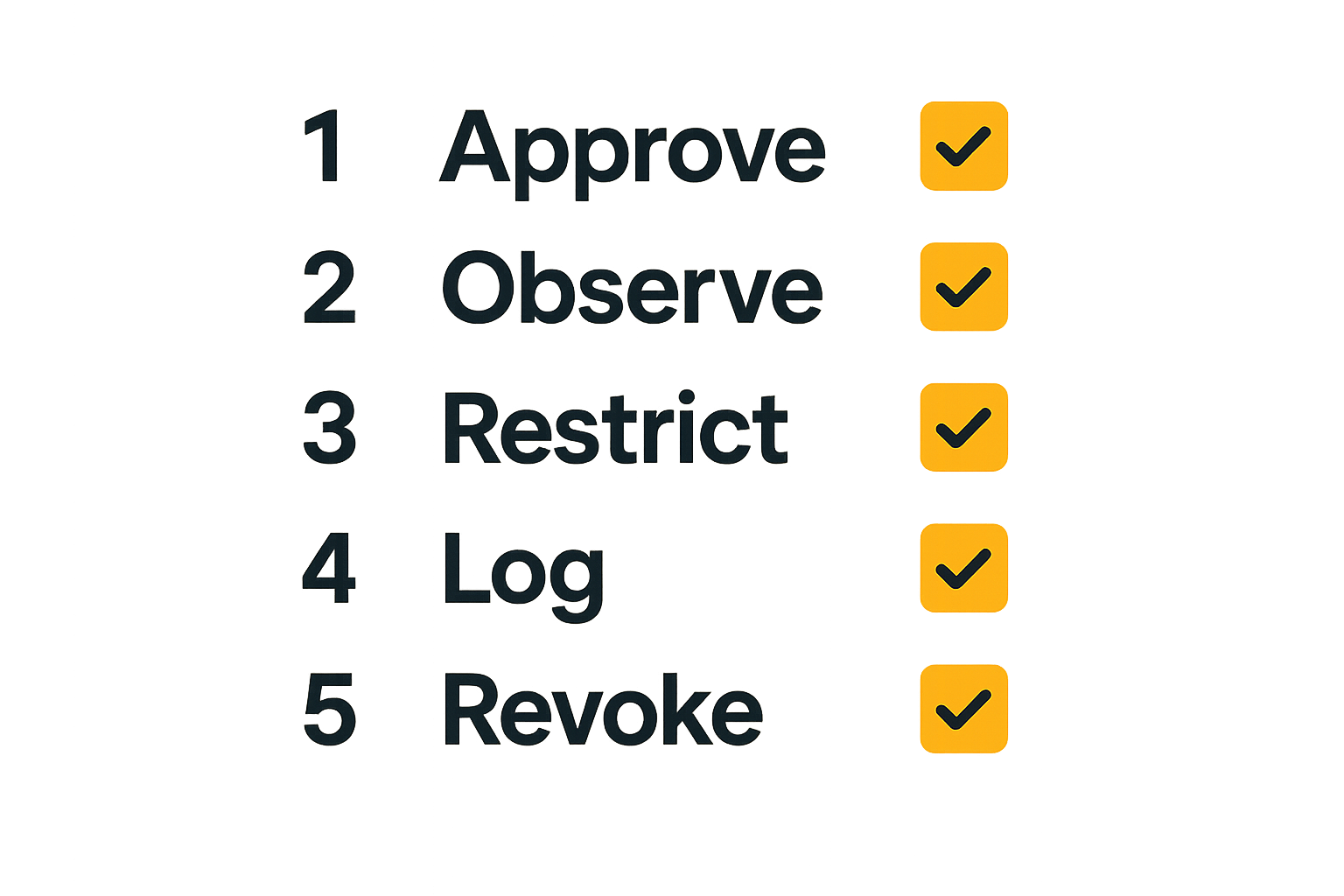
Consent matters for both viewing and control. If someone requests remote control, the user should approve the specific elevation, and the session should log who requested it, who granted it, when it started, and when it ended. For privileged systems, remote control should be disabled by default unless the session is tied to an approved support ticket or incident record.
Clipboard, file transfer, and remote control
What breaks in practice is not always screen visibility. It is the side channel around the screen.
Clipboard sync can move tokens, passwords, commands, customer data, and snippets of source code. File transfer can bypass normal email, DLP, and storage controls. Chat attachments can become untracked data stores. Remote control can convert a viewing session into an execution path.
Controls to evaluate:
- Disable clipboard sync for external sessions by default.
- Restrict file transfer to approved domains, managed devices, or specific support workflows.
- Require explicit consent for each remote control handoff.
- Timeout remote control after inactivity or context change.
- Block screen sharing of specific protected applications where supported.
- Alert when remote control is granted on privileged assets.
These are not theoretical controls. They are the difference between collaboration and unmanaged access.
Logging and detection for screen sharing security operations
Events worth collecting
Screen sharing security operations depends on telemetry. If you cannot see the session, you cannot govern it.
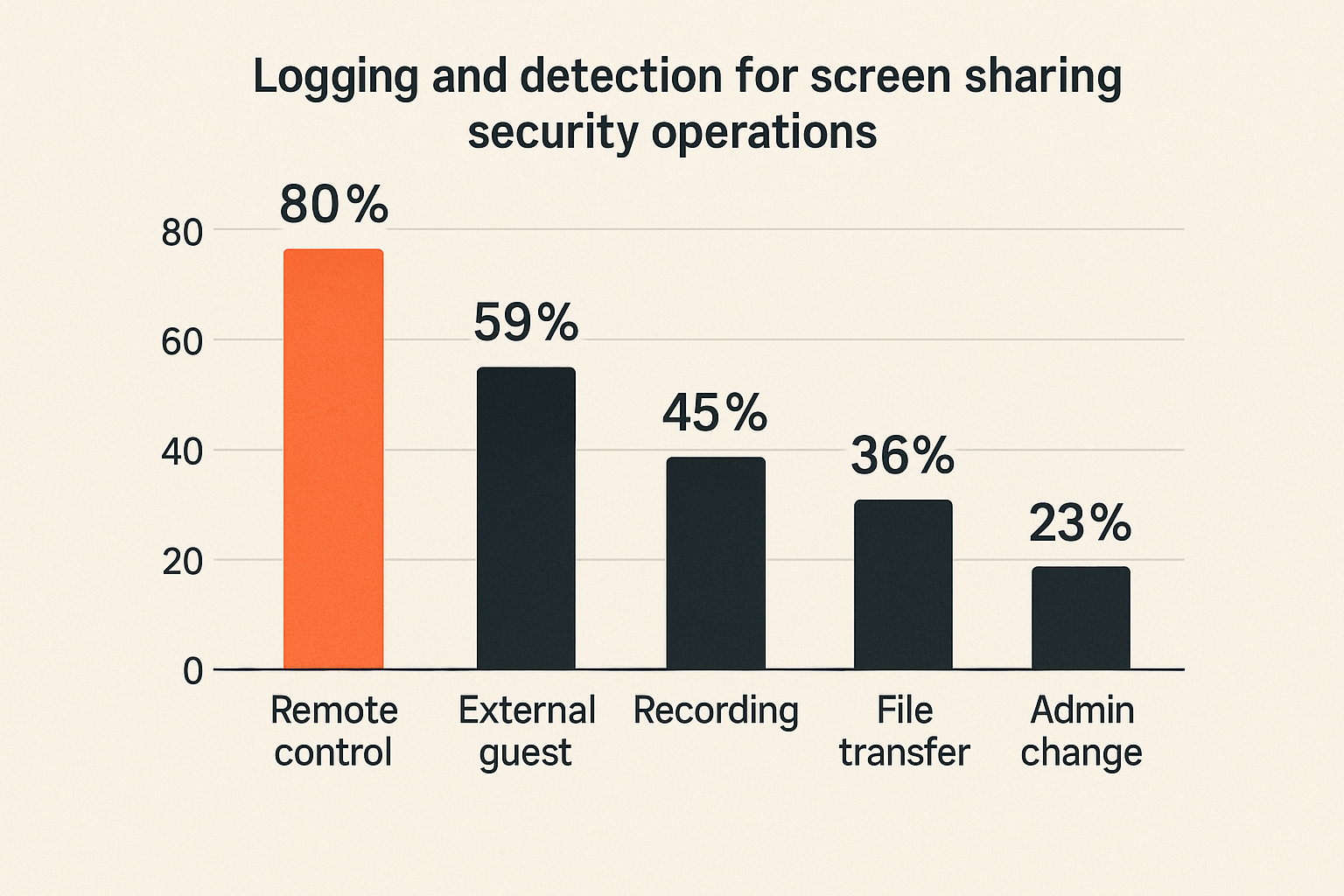
Useful events include:
- Session created, started, ended, and duration.
- Host identity, participant identities, external domains, and guest status.
- Device identifiers, IP addresses, geolocation signals, and managed device status.
- Screen sharing started and stopped.
- Remote control requested, approved, denied, started, stopped, and timed out.
- Recording started, stopped, downloaded, shared, or deleted.
- File transfer, chat attachment, and clipboard sync events where available.
- Administrative policy changes affecting screen sharing controls.
These events should land where the SOC already works: SIEM, data lake, detection platform, case management system, or SOAR workflow. Do not leave them buried in an admin console that only the collaboration administrator checks once a quarter.
Reducing false positives with operational context
Raw events are noisy. A remote control event is not automatically bad. A screen share with an external participant is not automatically suspicious. Context is what makes the signal useful.
Correlate collaboration telemetry with:
- Approved change windows.
- Helpdesk tickets and vendor support cases.
- Incident response bridges.
- Asset criticality and data classification.
- User role and normal working hours.
- Endpoint risk score or EDR alerts.
- Recent identity anomalies, impossible travel, or MFA fatigue signals.
A practical detection rule might alert when remote control is granted to an external participant on a high-value asset without a matching ticket. Another might flag recordings of privileged sessions shared outside the company. Another might escalate when screen sharing occurs shortly after risky sign-in behavior.
The goal is not to alert on every screen share. The goal is to identify sessions that violate the expected workflow.
Incident response workflow for suspicious sessions
Triage sequence
When a suspicious screen sharing session appears, responders need a repeatable workflow. Do not improvise in the middle of a live collaboration event.
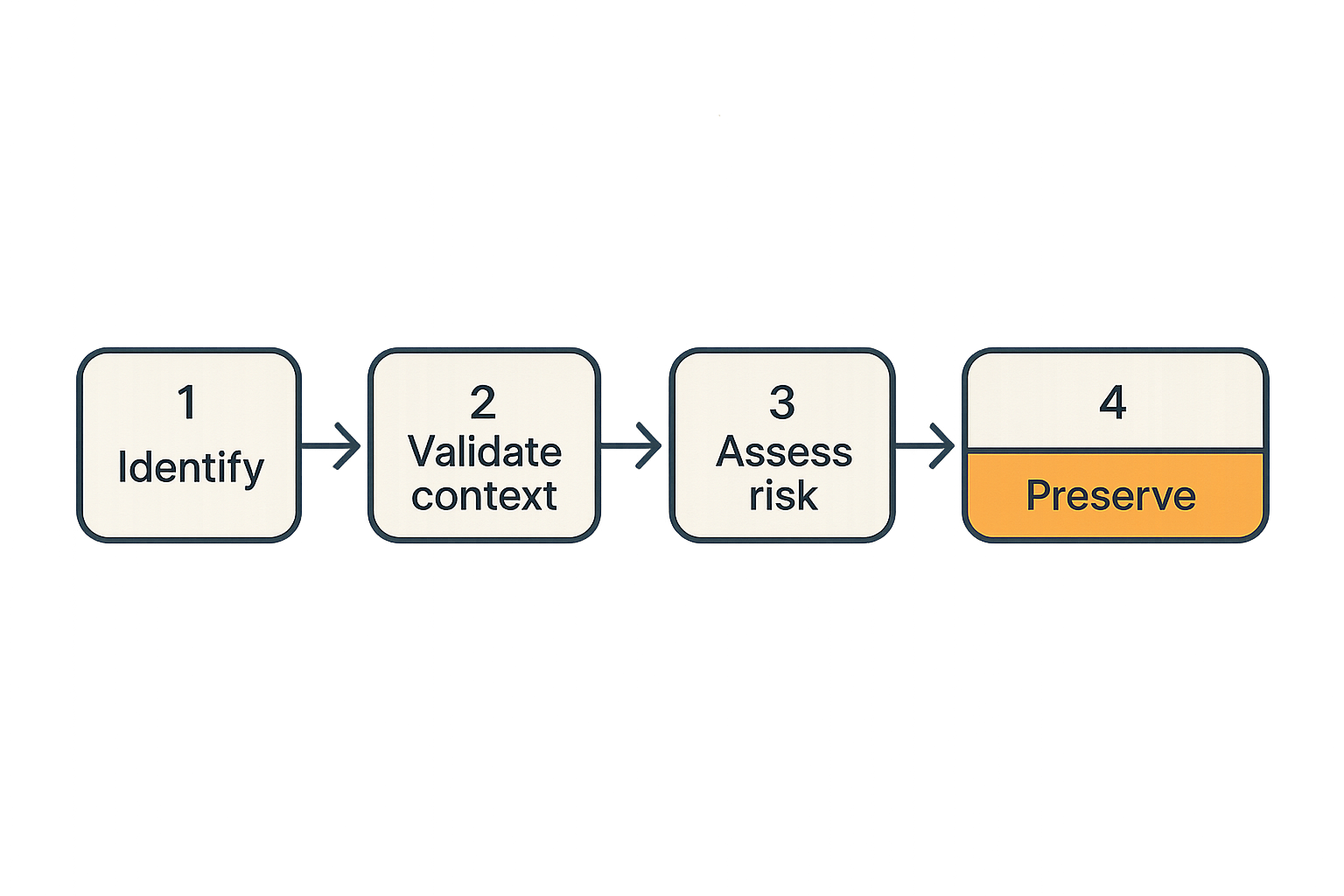
A basic sequence looks like this:
- Identify the active or recent session, including host, participants, start time, sharing status, and remote control status.
- Confirm business context through calendar data, ticketing systems, incident channels, or change records.
- Assess asset sensitivity by mapping the host device and visible systems to asset inventory and data classification.
- Check identity and endpoint signals for the host and external participants where available.
- Decide whether to observe, warn the host, terminate the session, revoke control, or isolate the endpoint.
- Preserve relevant logs, recordings, chat artifacts, file transfer records, and endpoint telemetry.
- Open or update the incident case with the session timeline and decisions made.
This workflow should be documented in the SOC runbook. The analyst should not have to guess who owns the collaboration platform, how to terminate a session, or whether legal approval is needed to review a recording.
Containment and evidence preservation
Containment options vary by tool, but the SOC should define them before an incident. Common actions include removing a participant, disabling remote control, ending the session, locking the user account, revoking tokens, quarantining the endpoint, or disabling external sharing temporarily.
Evidence preservation is more delicate. Session recordings may contain sensitive personal data, customer records, secrets, or regulated information. Preserve only what is needed, store it in an approved evidence location, and restrict access.
The mistake teams make is either preserving nothing or preserving everything in an unmanaged folder. Both create problems. No evidence means weak investigation. Too much evidence means unnecessary exposure and retention risk.
Practical rule: Treat screen sharing recordings as sensitive evidence, not convenient meeting artifacts.
What breaks when teams implement this badly
Shadow collaboration tools
If approved tools are too restrictive, unreliable, or painful, users will route around them. They will use personal accounts, browser-based tools, consumer remote access products, or whatever the vendor suggests on the call. The SOC then loses visibility entirely.
Shadow tools usually appear when policy is written without operational input. A blanket ban on external screen sharing may look good in a control document, but support, engineering, and incident response teams still need to solve real problems. If the official path does not work, the unofficial path wins.
What works is a sanctioned workflow with clear tiers. Internal troubleshooting can move quickly. Vendor sessions require approval and logging. Privileged sessions require stronger controls. Users need a path that is both secure and usable.
Recordings become unmanaged sensitive data
Recordings are a frequent failure mode. They are useful for training, support, audit, and incident review. They are also a dense package of sensitive information.
A recording may contain passwords typed into a terminal, private messages, internal architecture diagrams, customer data, API keys, browser history, financial data, or vulnerability details. If recordings are automatically saved to personal drives or shared by link, the organization has created a secondary data exposure problem.
What fails:
- Recording every session by default without retention rules.
- Letting hosts store recordings in unmanaged locations.
- Allowing public or anonymous recording links.
- Failing to log downloads and shares.
- Keeping incident recordings longer than necessary.
What works:
- Recording only when the use case requires it.
- Storing recordings in approved repositories.
- Applying retention by risk tier.
- Logging access and sharing events.
- Redacting or deleting recordings that contain unnecessary sensitive data.
Tooling comparison for SOC-ready screen sharing
Comparison table
Not every screen sharing tool needs the same level of control. A design review call and a privileged vendor support session should not be treated equally. The tooling choice should follow the risk of the workflow.
| Approach | Best fit | What works | What fails |
|---|---|---|---|
| Consumer meeting tools | Informal internal collaboration | Fast adoption, low friction, familiar UI | Weak audit depth, limited policy control, poor SOC integration |
| Enterprise conferencing suites | Broad business meetings and internal collaboration | SSO, admin policy, meeting controls, recording governance | Remote control and detailed security telemetry may be limited or inconsistent |
| Remote support platforms | Helpdesk and managed support workflows | Stronger control handoff, session logs, support ticket alignment | Can become powerful remote access if poorly governed |
| Privileged access workflows | Admin consoles, production systems, sensitive vendor sessions | Strong identity, approval, session recording, auditability | Higher friction and cost; requires process discipline |
| SOC-integrated collaboration telemetry | Detection and response across collaboration activity | Correlation with identity, endpoint, tickets, and assets | Requires integration work and ownership clarity |
The point is not that one category wins. The point is matching the tool to the session risk and making sure the SOC can see enough to respond.
Selection questions for security architects
Ask direct questions before standardizing on a screen sharing workflow:
- Can we enforce SSO, MFA, managed-device requirements, and external participant restrictions?
- Can hosts clearly see whether a participant is internal, external, authenticated, or guest?
- Can remote control be disabled globally, enabled by group, or approved per session?
- Are clipboard sync, file transfer, chat attachments, and recording controls configurable?
- Can session events be exported through API, webhook, SIEM connector, or audit log pipeline?
- Can recordings be retained, deleted, encrypted, and access-logged by policy?
- Can the SOC terminate sessions or revoke control during an active incident?
- Can we correlate sessions with tickets, incidents, assets, and identity risk?
If the answer is no to several of these, you may still use the tool. But you should not pretend it is ready for high-risk security operations.
Implementation blueprint for 2026 SOC teams
A rollout sequence that does not break the business
A workable program starts small and expands. Trying to solve every collaboration use case in one policy cycle usually creates friction and exceptions.
Use this sequence:
- Inventory approved and discovered screen sharing tools, including browser extensions, remote support products, conferencing platforms, and vendor-required tools.
- Identify the top use cases by volume and risk: helpdesk, vendor support, engineering, incident response, customer support, executive meetings.
- Define session risk tiers based on participants, data exposure, asset criticality, recording, file transfer, and remote control.
- Set baseline controls for all tiers: SSO, MFA, authenticated hosts, external participant visibility, admin audit logging, and recording retention.
- Add stronger controls for high-risk tiers: managed device enforcement, ticket linkage, remote control approval, recording restrictions, and SOC alerting.
- Integrate session logs into the SOC pipeline and normalize fields for host, participant, domain, device, control events, recording events, and session ID.
- Build detections around workflow violations, not generic activity.
- Test response actions: terminate a session, remove a participant, revoke remote control, preserve evidence, and isolate an endpoint.
- Review exceptions monthly with security, IT, legal, support, and engineering owners.
This is not glamorous work. It is the operating system for safe collaboration.
Policy examples that operators can enforce
Good policy is specific enough to automate and simple enough for humans to follow.
Examples:
- External participants may join support sessions only through authenticated invitations or approved guest workflows.
- Remote control is disabled for external users unless tied to an approved ticket and granted by the host during the session.
- Privileged admin consoles must not be shared in sessions with unverified participants.
- Screen sharing from unmanaged devices is blocked for high-risk applications.
- Recordings of incident response sessions must be stored in the approved evidence repository and reviewed for retention within a defined period.
- File transfer and clipboard sync are disabled for vendor sessions unless explicitly approved.
- SOC alerts are generated when remote control is granted on critical assets, when recordings are shared externally, or when external sessions occur without ticket context.
The practical test is whether an analyst can look at a session event and decide what should happen next. If the policy requires interpretation by committee, it will not hold during an incident.
Product fit: connect collaboration signals to ThreatCrush
Where ThreatCrush fits
Screen sharing security operations is not solved by another isolated admin console. It is solved when collaboration activity becomes part of the same operational picture as identity risk, endpoint telemetry, asset context, threat intelligence, and incident workflow.
That is where a SOC architecture needs connective tissue. Screen sharing events should enrich investigations, trigger detections, and support response decisions. A suspicious session should not sit in a meeting log while the analyst works from a separate identity alert and a separate endpoint alert.
ThreatCrush is built for security operations teams that need to connect signals, reduce noise, and move from detection to action. In this context, the product fit is straightforward: bring collaboration telemetry into the operating model so analysts can reason about who shared what, with whom, from which device, under which business context, and what happened next.
This is especially useful for:
- Correlating remote control events with endpoint alerts.
- Prioritizing sessions involving critical assets or privileged users.
- Linking suspicious collaboration activity to cases and response workflows.
- Reducing noise by suppressing sessions with approved ticket or incident context.
- Validating that screen sharing policy is actually producing enforceable signals.
Operational takeaway
Screen sharing security operations is not about making remote work harder. It is about removing blind spots from a workflow that already exists in production.
Teams think the problem is whether users can share a screen. The real problem is whether the organization can govern the session, observe the risky transitions, preserve the right evidence, and respond before a legitimate collaboration tool becomes an unmanaged access path.
The closing point is simple: screen sharing security operations belongs in the SOC architecture, not in a forgotten meeting settings page.
Try threatcrush.com
ThreatCrush helps security operations teams connect signals, reduce noise, and turn detection context into response workflows. Try threatcrush.com.
Try ThreatCrush
Real-time threat intelligence, CTEM, and exposure management — built for security teams that move fast.
Get started →