Personal Emergency Response System for SOC Teams: An Operator Architecture Guide

A personal emergency response system sounds like a healthcare device. In a SOC, the same idea shows up in a different form: an analyst is alone with an active intrusion, an unreliable paging chain, a noisy SIEM, and no clear way to force help into the room.
Teams think the problem is alerting speed. The real problem is emergency coordination under uncertainty.
If a responder cannot convert panic into a structured escalation, the team loses minutes to Slack archaeology, duplicated triage, unclear ownership, and half-written incident notes. That changes the conversation. A SOC-grade personal emergency response system is not a button. It is a workflow architecture for declaring operator distress, routing context, assigning accountability, and closing the loop.
The practical question is not whether your team has PagerDuty, Teams, Slack, a SIEM, EDR, SOAR, and a phone tree. The practical question is whether a single responder can trigger the right human and technical response when the incident is moving faster than the organization.
Table of contents
- What a personal emergency response system means inside a SOC
- The architecture of a SOC personal emergency response system
- Teams think the problem is notification speed
- Build the emergency taxonomy before buying tooling
- Implementation workflow for SOC escalation
- Ownership, runbooks, and responder safety
- Integrations that make the system operational
- Common failure modes and what breaks
- Metrics that prove the system is working
- Where ThreatCrush fits in the workflow
What a personal emergency response system means inside a SOC
From pendant model to operator safety model
The classic personal emergency response system model is simple: a person has a way to signal distress, the signal reaches a monitored service, and the service coordinates help. SOC teams need the same pattern, but the distress is operational.
The analyst is not always physically unsafe. The organization is. A ransomware detonation path is forming. A privileged account is behaving like an adversary. A detection engineer sees a newly deployed rule lighting up across the environment. A cloud control plane starts showing suspicious access. The operator needs a way to say: this is no longer normal queue work.
A useful way to think about it is this:
- The emergency button is a structured escalation trigger.
- The monitoring center is the SOC command process.
- The responder network is incident command, infrastructure, identity, legal, communications, and business owners.
- The medical record is the incident timeline and evidence store.
- The post-event follow-up is detection tuning, control validation, and lessons learned.
This framing matters because many SOC problems are not detection problems. They are handoff problems. A strong detection with a weak emergency workflow still produces a slow response.
Why security teams need it in 2026
Security operations in 2026 has more telemetry, more automation, more cloud surface area, and more distributed ownership. That sounds like progress until one person must coordinate across all of it at 02:00.
Detection engineers build logic. SOC analysts triage. Incident responders contain. Cloud teams own infrastructure. Identity teams own access. Legal owns notification obligations. Executives own risk decisions. What breaks in practice is the seam between those groups.
This is why emergency response has to be designed as a system. If you want the broader security operating model, the ThreatCrush guide to security operations in 2026 is a useful adjacent reference because it treats SOC work as workflows, not just tools.
Related reading from our network: teams building CI/CD controls face a similar ownership problem, and this piece on the protective security specialist role is a good parallel for reducing handoff risk in software delivery.
The operating principle
The operating principle is simple: emergency escalation should be deliberate, low-friction, context-rich, and reversible.
Practical rule: If an analyst cannot trigger emergency escalation in under 60 seconds without writing a paragraph, the system is too heavy.
Low-friction does not mean sloppy. It means the first action creates a container for the work. The container can then collect evidence, notify roles, assign incident command, and track decisions.
The architecture of a SOC personal emergency response system
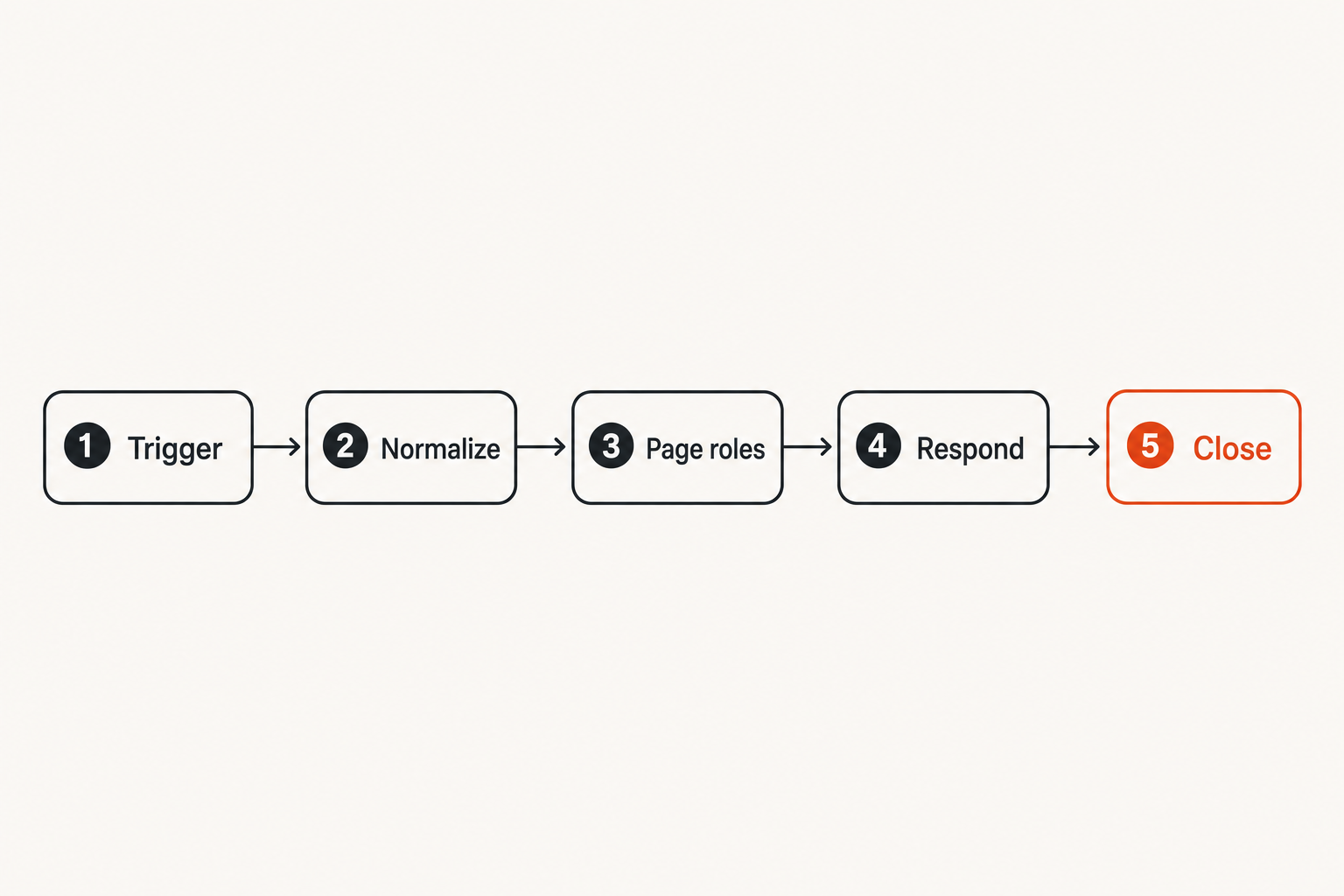
Signal capture
A SOC personal emergency response system starts with signal capture. The trigger can come from a human or a machine, but the result should be the same: a structured emergency event.
Common trigger sources include:
- Analyst emergency button in chat or case management.
- SIEM correlation rule for high-confidence intrusion activity.
- EDR alert involving domain admin, backup servers, or production workloads.
- Identity alert involving impossible travel, token theft, or privileged role activation.
- Threat intelligence match against exposed infrastructure or active exploitation.
- Manual incident commander declaration.
The mistake teams make is allowing each source to create its own separate response path. A SIEM alert creates a case. A Slack message creates a thread. A manager starts a bridge. An EDR tool opens a containment workflow. Nobody knows which one is the source of truth.
Signal capture should normalize the emergency into one event object with a unique ID, owner, current state, severity, urgency, affected assets, suspected threat, and next required action.
State management
The system needs state. Without state, emergency response becomes notification spam.
A simple state model works better than a complicated one:
| State | Meaning | Required owner | Exit condition |
|---|---|---|---|
| Declared | Emergency signal accepted | Initial responder | Incident commander assigned |
| Mobilizing | Required roles being paged | Duty manager | Critical roles acknowledged |
| Active | Investigation or containment underway | Incident commander | Impact understood or contained |
| Stabilized | Immediate risk reduced | Incident commander | Recovery plan accepted |
| Closed | Emergency mode ended | SOC lead | Timeline and actions recorded |
State management prevents the system from becoming a louder version of the alert queue. It also gives leadership a clean answer to a basic question: are we still in emergency mode?
Closure and audit
Closure is not bureaucracy. Closure is how the team proves that the emergency response system did not leave risk hanging in the air.
The closure event should record:
- Who declared the emergency.
- Why it was declared.
- Who acknowledged the escalation.
- What containment or investigative actions were taken.
- Which systems, accounts, and data were affected.
- What follow-up work remains.
- Whether detections, runbooks, or access controls need changes.
If the system does not force closure, emergencies become folklore. People remember stress but forget decisions.
Teams think the problem is notification speed
Fast pages are not reliable response
Most teams already have ways to page people. That is not the same as having a personal emergency response system.
Fast notification answers one question: did someone receive a signal? Emergency response must answer more:
- Did the right role acknowledge?
- Is the person authorized to act?
- What context did they receive?
- Is there an incident commander?
- Is the action tracked?
- Has the emergency ended?
A page without context creates delay. A bridge without ownership creates argument. A ticket without urgency creates queue drift.
Practical rule: A page is not an escalation until it creates accountable ownership and a next action.
Escalation must carry context
Context is the payload. The escalation should include enough information for the next person to make a decision without re-running the entire investigation.
At minimum, include:
- Trigger type and reason.
- Affected users, hosts, cloud accounts, or applications.
- Detection names and confidence.
- Timeline of first seen and last seen activity.
- Known adversary infrastructure or indicators.
- Current containment status.
- Links to evidence and live queries.
- Requested decision or action.
This is where proactive and reactive work connect. Threat analysis is not a separate ivory tower function; it should feed escalation quality. If your team is improving enrichment and investigation paths, the ThreatCrush article on threat analysis workflows maps well to this problem.
The human overload problem
Emergency escalation usually fails when humans are overloaded, not when tools are offline.
An analyst under pressure has limited working memory. They may know the environment, but they cannot remember every bridge number, escalation rule, system owner, evidence location, exception process, and containment caveat while watching an intrusion unfold.
Your system should reduce cognitive load:
- Pre-fill incident context.
- Offer one-click escalation classes.
- Page roles, not favorite humans.
- Display the current incident state.
- Create the evidence folder automatically.
- Start the timeline automatically.
- Show the next required decision.
The practical question is not how many integrations you have. It is how much memory you require from a tired responder.
Build the emergency taxonomy before buying tooling
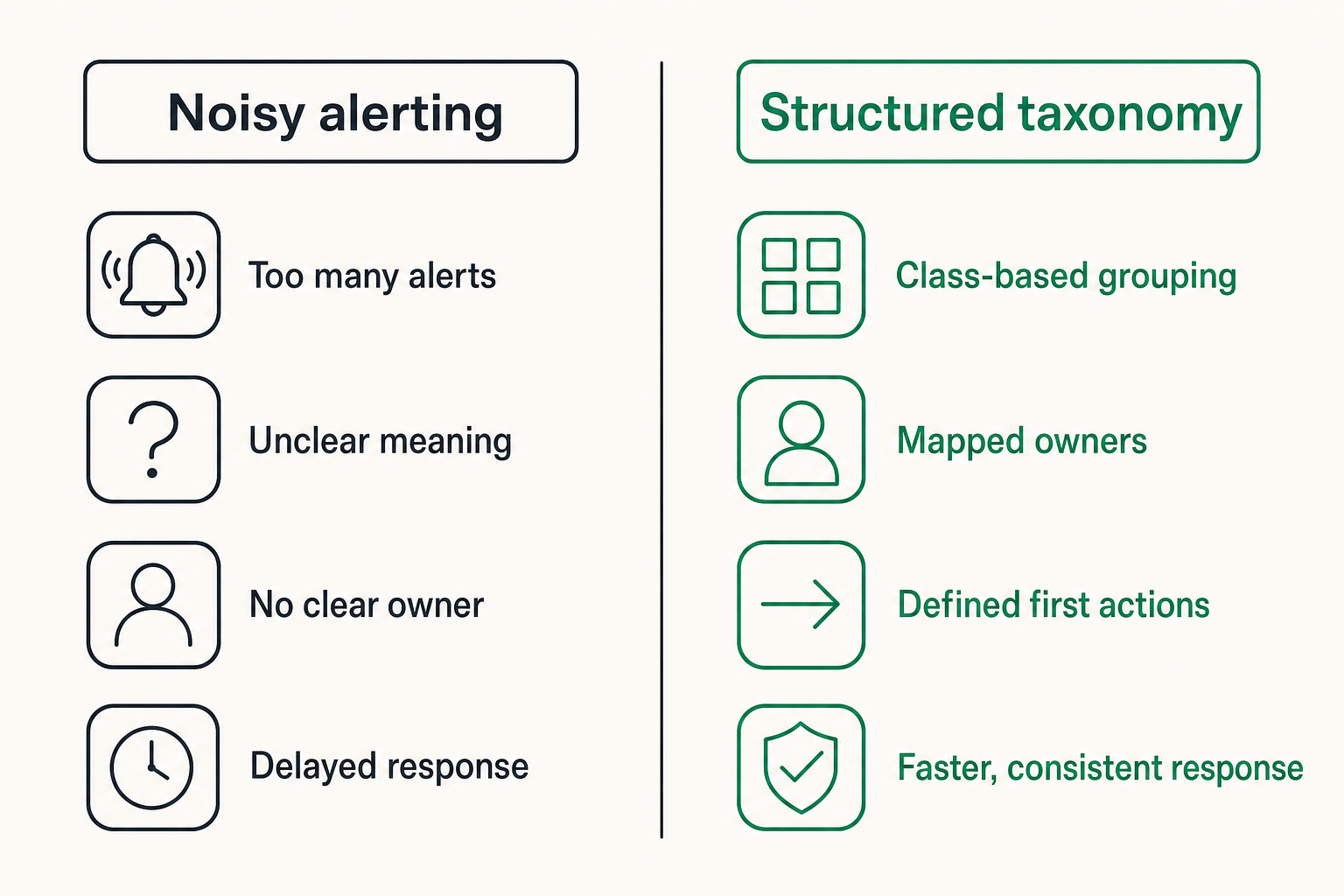
Define emergency classes
Tooling vendors will happily sell buttons, workflows, and automation. The hard part is deciding what the button means.
Start with emergency classes. For a SOC, useful classes often include:
| Emergency class | Example trigger | Primary responders | First objective |
|---|---|---|---|
| Active intrusion | Lateral movement with privileged access | IR, identity, endpoint | Stop spread |
| Data exposure | Confirmed sensitive data access | IR, legal, app owner | Preserve evidence |
| Critical exploit | Active exploitation of exposed system | SOC, vulnerability, platform | Reduce exposure |
| Control failure | EDR disabled across key servers | SOC, endpoint, infra | Restore visibility |
| Analyst distress | Responder overwhelmed or unsafe to continue alone | SOC lead, backup analyst | Add human support |
The final row matters. Sometimes the emergency is not only technical. If a junior analyst is handling a destructive event alone, that is a system failure waiting to happen.
Separate urgency from severity
Severity describes potential impact. Urgency describes time pressure. They are related, but not identical.
A critical vulnerability on a segmented lab host may be severe but not urgent. Suspicious access to the payroll system before a holiday weekend may be urgent even before full impact is known.
A useful classification model:
- Severity: business impact if true.
- Urgency: time available before the situation worsens.
- Confidence: likelihood the signal represents real malicious activity.
- Blast radius: number and importance of affected assets.
- Reversibility: how risky containment actions are.
This prevents over-escalation. It also prevents the worse problem: waiting for perfect severity scoring while an incident is still expanding.
Map each class to an action
Every emergency class should have a default first action. If the class does not imply an action, it is too vague.
Examples:
- Active intrusion: assign incident commander, page IR, preserve volatile evidence, evaluate containment.
- Data exposure: page legal and data owner, freeze deletion jobs, preserve access logs.
- Critical exploit: page platform owner, identify exposed assets, apply compensating control.
- Control failure: page tool owner, validate telemetry gap, deploy fallback visibility.
- Analyst distress: add senior responder, move to paired investigation, reduce queue load.
Practical rule: Do not create an emergency category unless it changes who gets paged or what happens first.
Implementation workflow for SOC escalation
A numbered sequence that works
A personal emergency response system should be implemented in stages. Trying to automate the whole incident lifecycle on day one usually creates a brittle SOAR demo, not a reliable operating model.
Use this sequence:
- Define emergency classes and ownership.
- Create a single emergency event object in your case system.
- Build human trigger paths in chat and case management.
- Connect high-confidence machine triggers from SIEM, EDR, identity, and threat intelligence.
- Add role-based paging and acknowledgment tracking.
- Auto-create evidence folders, timelines, and bridge links.
- Add state transitions and required fields for closure.
- Run tabletop drills using recent real incidents.
- Tune thresholds and remove noisy triggers.
- Review metrics monthly with SOC, IR, and engineering owners.
The key is to make the system useful before it is clever. A reliable manual escalation path beats an elaborate automation chain that nobody trusts.
Minimum viable configuration
A minimum viable configuration can be simple:
emergency_event:
  required_fields:
    - emergency_class
    - declaring_user
    - affected_asset_or_account
    - reason
    - requested_action
  default_state: declared
  page_roles:
    active_intrusion:
      - incident_commander
      - endpoint_response
      - identity_engineer
    critical_exploit:
      - soc_lead
      - vulnerability_owner
      - platform_owner
  closure_fields:
    - final_assessment
    - containment_actions
    - remaining_risk
    - follow_up_owner
This is not enough for a mature program, but it creates the right spine. You can attach integrations later.
Where automation helps
Automation is useful when it reduces repetitive coordination. It is dangerous when it makes irreversible decisions without enough context.
What works:
- Auto-open a case.
- Auto-page roles based on class.
- Auto-enrich assets and accounts.
- Auto-collect recent alerts, log links, and endpoint metadata.
- Auto-create a timeline entry when state changes.
- Auto-remind owners when acknowledgment is missing.
What fails:
- Auto-containment for broad asset classes without approval.
- Paging executives for every high-severity alert.
- Creating separate cases in every tool.
- Running enrichment that takes longer than human triage.
- Hiding the state machine behind automation logs.
Related reading from our network: naming and routing problems show up outside security too, and this article on product names as a shipping system is a useful reminder that labels affect support, ownership, and execution.
Ownership, runbooks, and responder safety
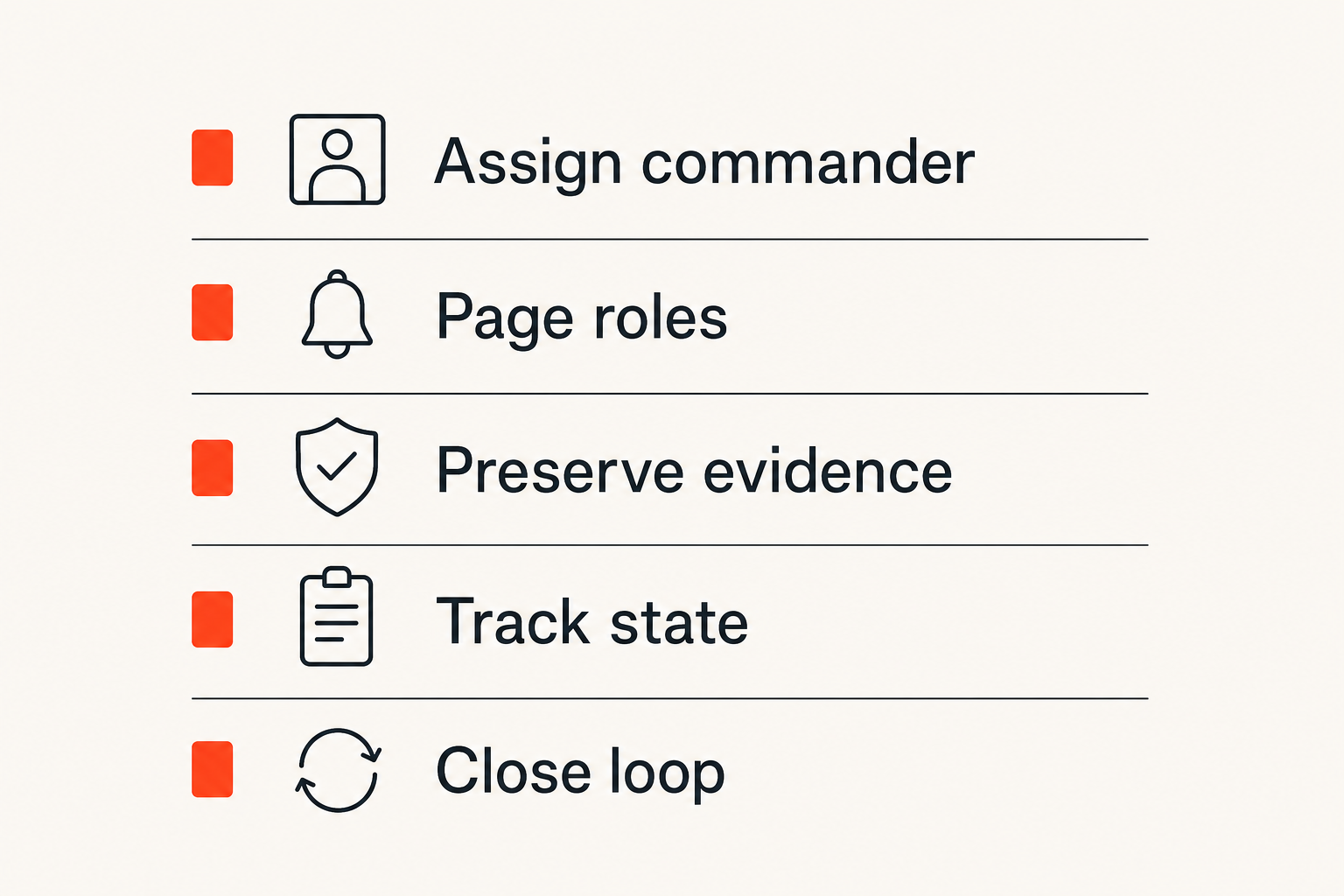
Name the accountable role
Emergency response needs an accountable role, not a crowd.
In many SOCs, the first analyst becomes de facto incident commander because they were first to see the alert. That is unfair and operationally weak. The first analyst may be the best person to explain the signal, but not the best person to coordinate response.
Define roles clearly:
| Role | Responsibility | Should not own |
|---|---|---|
| Initial responder | Declare emergency, provide first context | Business risk decisions |
| Incident commander | Coordinate work, assign actions, maintain state | Deep forensic tasks |
| Technical lead | Guide investigation and containment | Executive communications |
| Evidence owner | Preserve logs, artifacts, and timeline | Containment approval |
| Business owner | Decide acceptable operational risk | Technical root cause |
This separation protects the investigation from chaos. It also protects people from carrying more responsibility than their role permits.
Write runbooks for stress
Most runbooks are written for calm readers. Emergencies are not calm.
A stress-ready runbook should be short, explicit, and decision-oriented. Avoid pages of background. Put the first five minutes at the top.
Good runbook structure:
- When to declare this emergency.
- Who gets paged.
- What evidence to preserve first.
- What containment actions are allowed without approval.
- What actions require incident commander approval.
- What business owner must be contacted.
- What closure fields are mandatory.
The mistake teams make is writing runbooks as documentation instead of operating instructions. Documentation explains. Runbooks direct.
Protect the analyst from isolation
Analyst distress should be an explicit escalation reason. That may sound soft until you have watched a responder freeze under pressure or make a risky containment decision because nobody else joined quickly.
A mature SOC treats isolation as a risk signal. If the initial responder declares that they need backup, the system should not require justification beyond a short reason.
Examples:
- I am the only analyst online and this involves privileged access.
- I need a second responder before containment.
- I am seeing destructive behavior and need incident command now.
- I am past shift end and cannot safely continue alone.
Related reading from our network: local coordination systems have the same trust and routing problem; this piece on community connections as an operating system is adjacent but relevant for thinking about reliable handoffs.
Integrations that make the system operational
SIEM and detection sources
The SIEM should not own the emergency. It should provide signals and evidence.
Use SIEM integrations to:
- Promote high-confidence correlation alerts into emergency candidates.
- Attach searches and raw events to the incident case.
- Show whether similar alerts are firing across the environment.
- Record analyst queries in the timeline.
- Suppress duplicate escalations once an emergency is active.
Do not let every critical SIEM rule declare an emergency automatically. Start with candidate creation and human confirmation unless the trigger is exceptionally reliable.
EDR, identity, and network controls
Containment tools are powerful and dangerous. Your personal emergency response system should integrate with them through approval-aware actions.
Useful actions include:
- Isolate host.
- Disable account.
- Revoke sessions.
- Block IP or domain.
- Snapshot cloud instance.
- Increase logging level.
- Quarantine file.
Each action needs three attributes: who can approve it, what evidence is required, and how to roll it back.
This is where many teams skip architecture. They wire a SOAR playbook to an EDR action and call it response automation. Then a false positive isolates a production server and the SOC loses trust from engineering.
Chat, ticketing, and evidence stores
Chat is where people coordinate, but it should not be the system of record. Ticketing creates ownership, but it is often too slow for live response. Evidence stores preserve facts, but they do not coordinate humans.
Use each system for what it is good at:
| System | Good for | Bad for |
|---|---|---|
| Chat | Real-time coordination | Long-term audit |
| Case management | Ownership and workflow state | Fast human conversation |
| SIEM | Query and evidence links | Business decisions |
| SOAR | Repeated actions | Ambiguous judgment |
| Evidence store | Artifacts and timeline | Paging people |
The emergency event should link them together. It should not pretend one tool is the entire incident.
Common failure modes and what breaks
The silent failure
The silent failure is the worst one: an analyst believes help is coming, but nobody accountable has actually acknowledged.
This happens when escalation relies on channel posts, email aliases, or informal mentions. A message sent is not a message received. A message received is not ownership accepted.
Prevent silent failure with:
- Required acknowledgment.
- Escalation if no acknowledgment arrives.
- Secondary role routing.
- Visible state in the incident case.
- Automatic timeline entries for pages and acknowledgments.
Practical rule: If the system cannot prove who acknowledged the emergency, assume nobody did.
The duplicate command problem
Another common failure mode is duplicate command. Two managers start two bridges. Two engineers run conflicting containment actions. Two analysts update two different timelines. The team gets busy and less effective.
Duplicate command happens when the emergency event has no single incident commander or when leadership bypasses the process during pressure.
Fix it by making command visible:
- The current incident commander is displayed in the case and chat channel.
- State changes require the commander or delegated role.
- All containment actions reference the emergency ID.
- Executive updates come from a defined communications owner.
This is not ceremony. It is collision avoidance.
The audit gap
The audit gap appears after the incident. People remember that actions happened, but not when, why, or who approved them.
That breaks post-incident review. It also breaks legal, compliance, insurance, and customer communication work.
The system should automatically record:
- Emergency declaration time.
- Paging events and acknowledgments.
- State transitions.
- Containment actions.
- Evidence links.
- Major decisions.
- Closure approval.
If responders must reconstruct the timeline from screenshots, the system failed.
Metrics that prove the system is working
Measure response reliability
Do not measure only mean time to acknowledge. Measure whether escalation reliably creates the right response.
Useful reliability metrics:
- Emergency declaration to first role acknowledgment.
- Declaration to incident commander assigned.
- Percentage of emergencies with all required roles acknowledged.
- Percentage of escalations that missed acknowledgment SLA.
- Number of duplicate emergency events per incident.
- Number of emergency events closed without required fields.
These metrics expose workflow failure, not just alert volume.
Measure investigation compression
A good personal emergency response system should shorten investigation time by packaging context and reducing coordination overhead.
Look for:
- Time from declaration to first containment decision.
- Time from declaration to affected asset list.
- Time from declaration to confidence assessment.
- Number of manual handoffs before incident command.
- Number of repeated questions asked in chat.
You will not eliminate uncertainty. The goal is to stop paying the same coordination tax every time.
Measure operator load
Operator load is harder to quantify, but it matters.
Track signals such as:
- After-hours emergency count by analyst.
- Emergencies handled by a single responder for more than a defined threshold.
- Number of analyst distress escalations.
- Shift handoffs during active emergencies.
- Post-incident feedback on runbook clarity.
If the same two people carry every emergency, your system is not resilient. It is dependent on heroes, which means it is fragile.
Where ThreatCrush fits in the workflow
Threat context as escalation fuel
Threat intelligence is useful in emergency response when it changes routing, confidence, or action. It is not useful when it arrives as another unprioritized feed.
In a SOC personal emergency response system, threat context should help answer:
- Is this indicator associated with active exploitation?
- Is the affected asset exposed or business-critical?
- Is the vulnerability being exploited by a known actor or campaign?
- Have we seen related infrastructure elsewhere?
- Does this change severity, urgency, or containment priority?
That context belongs inside the emergency event. It should not live in a separate portal that responders must remember to check.
Product fit without pretending one tool owns everything
ThreatCrush is built for security operations professionals building and scaling SOC capabilities. In this workflow, the fit is architectural: threat feeds, vulnerability tracking, attack surface monitoring, and actor intelligence can enrich the emergency event so responders have better context faster.
It does not replace incident command. It does not replace your SIEM, EDR, chat, or case management. The useful pattern is integration: let threat context inform escalation class, urgency, asset priority, and investigation paths.
That is the difference between threat intelligence as noise and threat intelligence as response fuel.
Try threatcrush.com
ThreatCrush publishes practical guidance for security operations professionals building and scaling SOC capabilities. If you are designing a SOC-grade personal emergency response system, start with better operational context: Try threatcrush.com.
Try ThreatCrush
Real-time threat intelligence, CTEM, and exposure management — built for security teams that move fast.
Get started →